We've added new web search and fetch capabilities to the Kiro CLI, enabling access to current information from the internet in real-time.
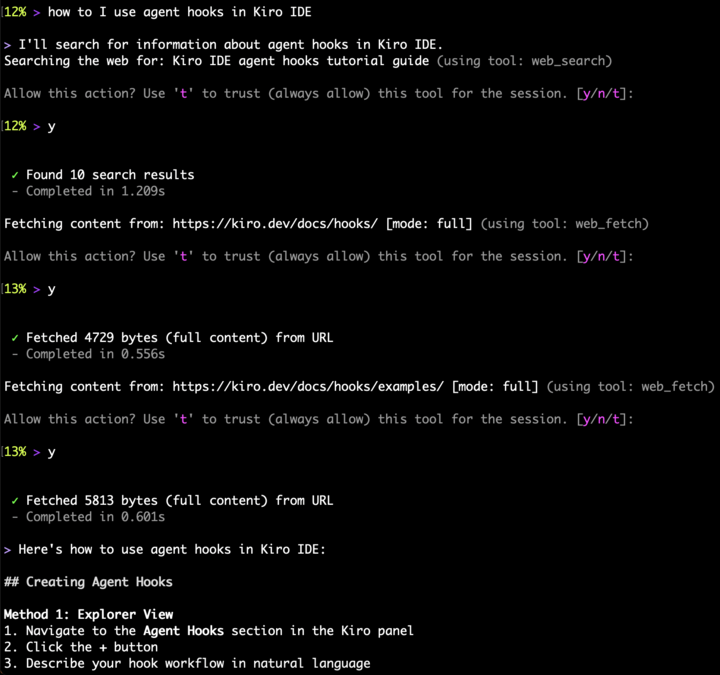
We've added new web search and fetch capabilities to the Kiro CLI, enabling access to current information from the internet in real-time.
The video shows the Kiro IDE with a "kiro-docs" project open and the AI chat panel displaying its "Let's build" start screen. The video focuses on model selection: the chat panel's model selector reads "Claude Opus 4.5," and a separate Kiro CLI terminal window is also shown. In the terminal, the user opens a model picker, and the screen confirms "Using claude-opus-4.5," with an experimental note about credit usage ("2.2x credit"). Both the IDE and CLI demonstrate selecting the Claude Opus 4.5 model.
Added support for Claude Opus 4.5 - Anthropic's most intelligent model combining maximum capability with practical performance. Ideal for complex specialized tasks, professional software engineering, and advanced agents. Claude Opus 4.5 is available in both the Kiro IDE and Kiro CLI for Pro, Pro+, and Power tier subscribers.
This release adds support for enterprise billing where administrators can onboard large teams to Kiro, provides the capability to revert to the results of a previous conversation through checkpointing, adds support for multi-root workspaces, and introduces property-based testing with Kiro.
Introduces property-based testing (PBT) to generate evidence for verification of spec requirements. Unlike unit tests, PBTs run hundreds of times with randomly generated inputs to detect edge cases.
Launches support for enterprise users in Kiro IDE. Profile selection when multiple profiles are configured (auto-select default profile if only one profile exists), new dashboard for enterprise users, in-chat alerts, usage metering and summaries, enterprise governance of telemetry and MCP settings.
Introducing the Kiro CLI. Kiro CLI leverages the Auto agent to deliver results in your terminal, and takes you from natural language, to code, to deployment. Kiro CLI supports different agent modes, MCPs, steering files, and custom agents. Install on macOS or Linux:
curl -fsSL https://cli.kiro.dev/install | bashWith multi-root workspace support, a single Kiro workspace can have multiple roots, e.g., a single workspace that contains both /users/bob/my-project and /shared/utils/auth as top-level folders.
Support for checkpointing which allows users to revert to the results of a previous conversation in Kiro. This feature enables developers to undo changes made by AI agents and return to a previous state of their workspace, while providing visibility into what changed and guidance on next steps.
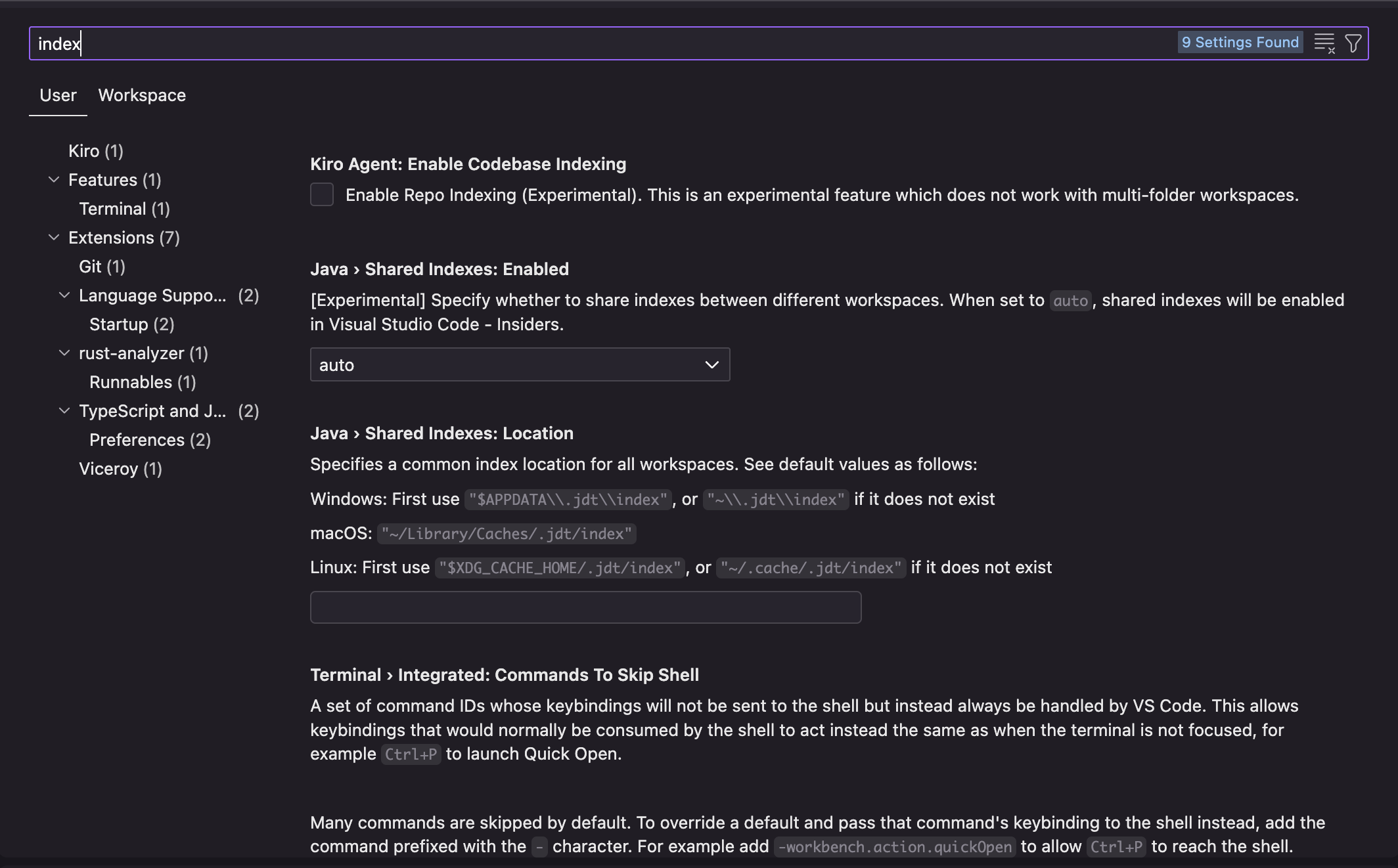
Adds experimental settings to control the Codebase (#codebase) allowing users to opt-in to this CPU-intensive indexing feature.
Adds capabilities to the chat context provider for files to use line ranges in order to focus context to either a single line in a file or line range.
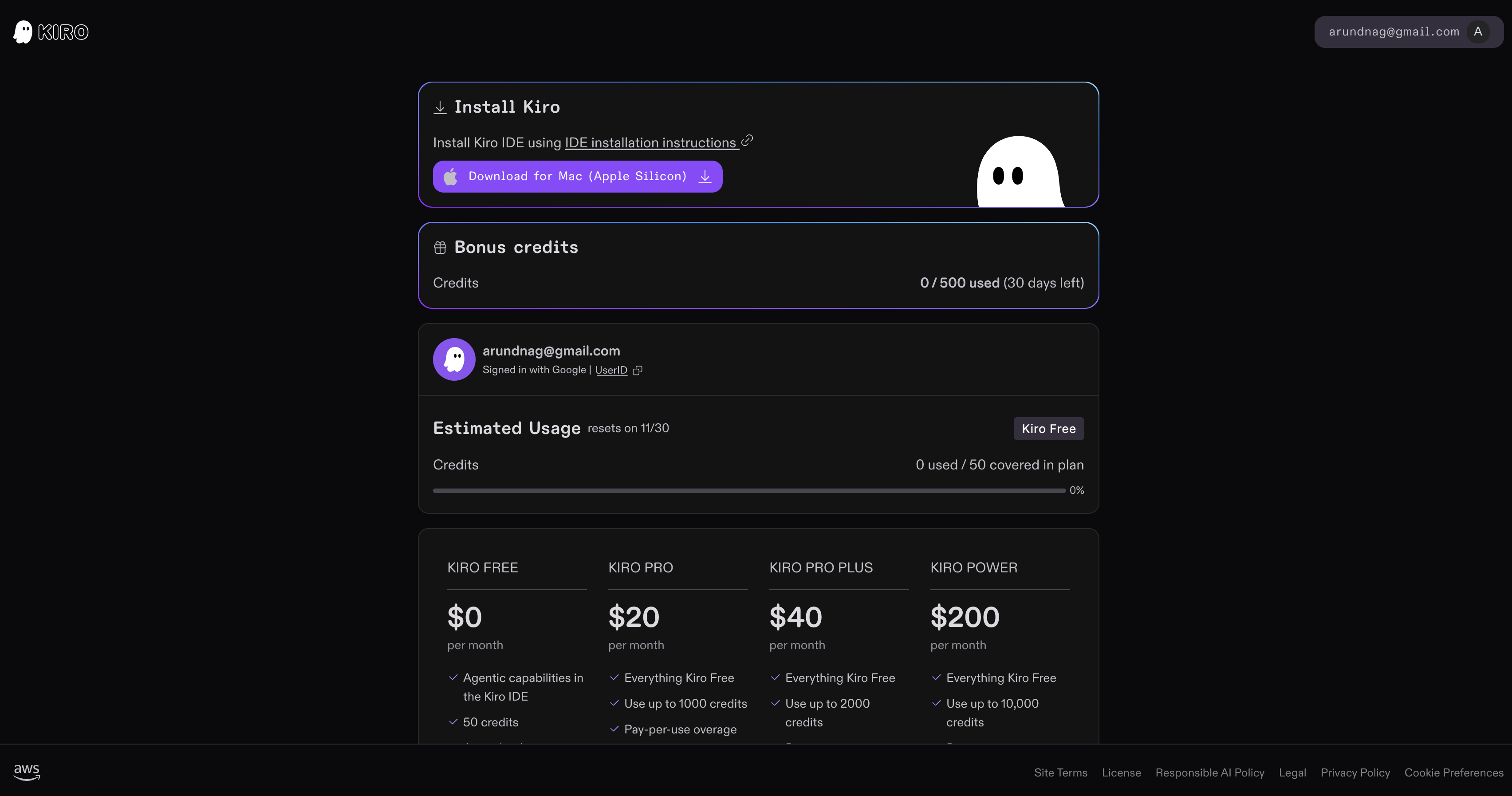
Access app.kiro.dev to manage your account, track usage statistics, and modify subscription settings through the web interface.
Kiro CLI leverages the Kiro Auto agent to deliver the best results at the best price, in your terminal, and takes you from natural language, to code, to deployment. Kiro CLI supports different agent modes, MCPs, Kiro steering files, and custom agents, allowing you to mold the CLI to meet your needs.
This release expands MCP capabilities with remote server support and one-click installation, introduces global steering rules and project-specific agent configuration, and refines agent workflows with improved hook execution, command trust, and targeted file context.
Connect to MCP servers hosted anywhere on the internet via Streamable HTTP, accessing cloud services and APIs without local installation.
Define global steering rules that apply across all your workspaces.
Support for the AGENTS.md standard to define guidelines, coding standards and architectural patterns. Add an AGENTS.md file to the global steering file location (~/.kiro/steering/), or to the root folder of your workspace, and they will get picked up by Kiro automatically.
Simplified MCP server setup with automatic installation—get started with MCP tools faster than ever. View servers →
Use environment variables in your MCP server configurations for flexible, environment-specific setups.
![## Use Case 3: Extending User Preferences
Scenario: Add a 'preferredPaymentMethod' field to UserPreferences
Targeted Context Needed: #IIfile:src/types/app.ts:127-143]]
This shows just the UserPreferences interface, which is what needs modification. The agent doesn't need to see:
Result: Faster, more accurate implementation with less context pollution.](/images/changelogs/v0.5.0/targeted-context.png)
Reference specific line ranges when adding files to context (e.g., #[[file:src/utils/helper.ts:10-25]]), giving you precise control over what the agent sees and enabling more focused implementations.
This release introduces dev server support with background processes, spec context provider and MVP task workflows, enhanced MCP controls, and per prompt usage tracking with notifications.

Choose your development pace during spec creation. When the agent generates tasks, select "Keep optional tasks (faster MVP)" to mark tests and documentation as optional (✱), or "Make all tasks required" for comprehensive coverage from the start. Optional tasks remain visible throughout the workflow, letting you focus on core features first
Use #spec in chat to reference your spec files directly. The agent now understands your spec context, providing more accurate responses during development
Long-running commands like npm run dev, build watchers, and test runners now start in the background automatically. The agent detects these processes, returns control to you immediately, and continues tracking them—no more blocked terminals
You can now see how many credits each prompt consumed, right in the chat panel.

Get intelligent alerts about your credit usage patterns to help you stay informed and avoid surprises
This release brings spec task management, intelligent code diagnostics, AI-powered commit messages, and refined agent interactions to streamline your development process.
This release addresses critical security vulnerabilities and bug fixes.
This release brings Auto, our new agent, enhanced usage tracking, and editor improvements to elevate your development experience.
Note: These features are rolling out gradually between now and October 1st, and users will be migrated to a single pool of credits and new limits. Your limits will reset to the new monthly plan limits once migrated.
This release includes editor performance improvements, enhanced reliability, and bug fixes to enhance your development experience.